
Registration for this event is now closed.
Details for Online Summer Working Connections are now available. Check out the track options, program policies, and schedule prior to submitting your registration request.




Registration for this event is now closed.
Details for Online Summer Working Connections are now available. Check out the track options, program policies, and schedule prior to submitting your registration request.
The goal of the National IT Innovation Center’s (NITIC) Working Connections professional development is to equip IT faculty at two-year institutions of higher education with the expertise needed to teach their track content in a subsequent semester. This ensures that the most current information reaches their classrooms, either as a stand-alone course or as supplemental material to an existing course.
This online workshop is designed for instructors who want to integrate AI into their teaching. It is not a deep technical dive into AI; instead, the focus is on how AI is transforming our work as educators and how we can effectively utilize AI tools to deliver more effective, efficient, and engaging instruction. Participants will explore practical ways AI impacts teaching, student learning, and curriculum design through guided hands-on activities using accessible no-code platforms. We will examine real-world strategies for prompt engineering, AI-assisted course development, student-facing AI activities, ethical classroom policies, and preparing students for an AI-integrated workforce. You’ll leave with immediately usable resources: ready-to-adapt lesson templates, rubrics, feedback tools, sample AI policies, and a personalized AI Integration Action Plan so you can start enhancing your courses and instruction the very next semester.
NOTE: This track will be a repeat of content provided in “AI for Educators” (Winter Working Connections online, December 2024), and “AI Essentials for Educators (Summer Working Connections online, July 2025). Participants who previously completed either of these courses are not eligible to register for this track again.
None.
None.
None.
Webcam and dual monitors are highly recommended. Tracks often require being able to read instructions and perform the project.
Please note that content is subject to change or modification based on the unique needs of the track participants in attendance.
 Wade Huber is a residential computer science faculty member at Chandler-Gilbert Community College, where he recently served on the committee that developed CGCC’s Artificial Intelligence bachelor’s degree and currently serves as AI faculty support for an NSF-funded AI Entry Pathways Grant. He brings over 25 years of software engineering experience across the telecom, semiconductor, and medical device industries, alongside many years of teaching math and computer science, first as an adjunct and now as full-time faculty. He holds a B.S. from Trinity University in San Antonio and an M.S. in Computer Science from The University of Texas at Dallas. His current focus is on introducing AI into his CS courses and helping fellow educators integrate AI into their teaching practice.
This workshop introduces faculty to a new way of building and maintaining Canvas courses using AI and lightweight coding. Instead of manually clicking through Canvas, participants will learn how to “vibe code” using GitHub Codespaces, the Canvas API, and large language models (LLMs).
Participants will follow a practical workflow of generating, previewing, publishing, and verifying course content in real time.
The goal is to help faculty save time, reduce repetitive work, and create more consistent and scalable course experiences. No programming experience is required.
By the end of the session, participants will be able to:
Participants should have basic familiarity with Canvas, including the ability to navigate a course and edit simple content (pages, assignments, or discussions). They must also have access to an active Canvas course where they can make edits and generate an API token.
No programming experience is required. Participants only need basic computer skills (copy/paste, opening links, following step-by-step instructions) and a willingness to try a new workflow using AI and simple scripts.
A GitHub Codespaces account is helpful but not required, as setup will be guided during the session.
None.
None.
No additional set ups. Just standard things like: stable internet connection, working webcam, canvas access. Webcam and dual monitors are highly recommended. Tracks often require being able to read instructions and perform the project.
Please note that content is subject to change or modification based on the unique needs of the track participants in attendance.
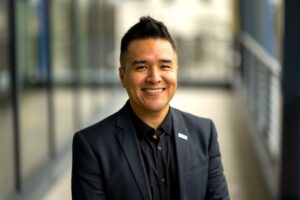 Jonnathan is an Assistant Professor at the Computer Information Systems Department and the Faculty Director of the AI Incubator at GRCC. He has a Master’s and Bachelor’s Degree in Computer Science from the University of Texas at Dallas with an emphasis on Artificial Intelligence. As the Faculty Director of the AI Incubator, Jonnathan actively participates in the development and implementation of artificial intelligence initiatives and projects at GRCC.
This five-day workshop introduces core quantum programming concepts, including the use of qubits, superposition, entanglement, and measurement, as applied in circuit design. Participants will complete hands-on activities to design and simulate circuits using Python-based tools. An overview of cloud-based quantum platforms is also presented.
NOTE: This track will be a repeat of content provided in “Introduction to Quantum Computing” (Spring Working Connections online, March 2026). Participants who attended the Spring 2026 track may register only if space is available at the end of the registration period.
This workshop is designed for students with some prior programming experience and an introductory knowledge of Python. While it could be understandable to motivated students at varying skill levels, familiarity with basic concepts will help ensure a smooth experience during hands-on sessions.
Constantin Gonciulea and Charlee Stefanski “Building Quantum Software in Python.” Manning May 2025. 978-1633437630 (Digital Version available from Manning)
None.
Browser required, GitHub and Google accounts required. Webcam and dual monitors are highly recommended. Tracks often require being able to read instructions and perform the project.
Please note that content is subject to change or modification based on the unique needs of the track participants in attendance.
 David Singletary is a faculty member in the School of Technology at Florida State College at Jacksonville. He teaches courses in software development, data science, and AI. In a previous life David was employed as a software engineer at Cisco and various startup companies in Silicon Valley. David graduated from the University of Central Florida with a B.S. and from the University of Colorado with an M.S. in Computer Science.
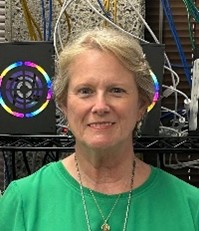 Pamela Brauda is a faculty member in the School of Technology at Florida State College at Jacksonville, where she teaches courses in programming, networking, and data science. Before teaching at FSCJ, Pamela worked as a Metadata Analyst with the Florida Department of Law Enforcement, taught programming and software development at the University of North Florida, created and operated several small businesses, and taught high school mathematics. She graduated from the University of Georgia with a B.S. and from the University of North Florida with an M.S. in Computer Science.
AI is reshaping the cybersecurity landscape on both sides of the fence. Defenders are using LLMs to triage alerts and write detections faster than ever, while attackers are using the same tools to generate polymorphic malware, deepfake voices, and prompt-injection payloads at scale. CompTIA’s new SecAI+ certification (CY0-001 V1, launched February 2026) is the first vendor-neutral credential aimed squarely at this shift, and instructors who teach Security+, CySA+, or networking courses are increasingly being asked to fold AI security topics into their curriculum.
This five-day, hands-on workshop walks IT and cybersecurity instructors through the full SecAI+ exam objectives — Basic AI Concepts, Securing AI Systems, AI-Assisted Security, and AI Governance/Risk/Compliance — with a working lab environment so participants experience prompt injection, model guardrails, RAG security, MITRE ATLAS mapping, and AI-driven security automation firsthand instead of just reading about them. Day 5 opens with a workshop exam covering all four domains and closes with a live showcase of working AI-powered classroom tools — lab generators, AI tutoring patterns, MCP-backed exercise environments, and AI coding-agent workflows — that participants can adopt or adapt for their own courses in the upcoming semester.
CompTIA SecAI+ (exam CY0-001 V1)
None required. The official CompTIA SecAI+ CY0-001 V1 Exam Objectives document (free PDF from CompTIA) will serve as the primary reference.
Supplementary readings will be provided from OWASP (LLM Top 10, ML Security Top 10), MITRE ATLAS, and the NIST AI Risk Management Framework (AI RMF 1.0).
None required. Cloud-accessible VMs are provided for guaranteed parity across participants, and all labs are also published as Docker Compose bundles for those who prefer to run them locally on their own machine — useful for adapting the labs into your own classroom afterward. CPU-only laptops are sufficient for the full curriculum; GPU-accelerated work (local-model deployment scenarios) is demonstrated via the instructor’s lab cluster over screenshare, with optional opt-in cloud GPU access for participants who want hands-on time. Webcam and dual monitors are highly recommended. Tracks often require being able to read instructions and perform the project.
Please note that content is subject to change or modification based on the unique needs of the track participants in attendance.
Theme: Building shared vocabulary and a working AI lab environment.
Theme: Mapping the AI attack surface and locking the front door.
Theme: Defense in depth and the rules of the road.
Theme: Using AI as a force-multiplier for the SOC and the classroom.
Theme: Demonstrate mastery of the week’s material, then see what AI-powered teaching looks like in practice.
 Jason Zeller is an assistant professor in the Informatics Department at Fort Hays State University. In industry, Mr. Zeller has worked for internet service providers and as a Senior Product Engineer for Network Development Group, where he was responsible for creating and writing curriculum and lab content for use in colleges worldwide. His instructional responsibilities include being the lead professor for the undergraduate and graduate Cybersecurity and Information Assurance Management courses. Mr. Zeller is the Director of Operations for the Cybersecurity Institute and Technology Incubator at FHSU and the Co-Director of the Information Enterprise Institute, which is FHSU’s Center of Academic Excellence in Cyber Defense. Outside the university, Mr. Zeller owns CypherAxe, a cybersecurity consulting firm, and is the founder of Post Rock Data Solutions, a software development startup currently focused on agricultural software. Through both ventures he hires students from high school and college programs to gain real-world industry experience. His current work focuses heavily on AI-assisted development infrastructure and the secure integration of AI agents into cybersecurity education and operations.
| Time | Activity | Location |
|---|---|---|
| 8:30am-12noon Central (10:30am-10:45 am Central break) |
Class | |
| 12noon-1:00pm Central | Lunch | |
| 1:00pm-5:00pm Central (3:00pm-3:15pm Central break) |
Class |
| Time | Activity | Location |
|---|---|---|
| 8:30am-12noon Central (10:30am-10:45 am Central break) |
Class | |
| 12noon-1:00pm Central | Lunch | |
| 1:00pm-5:00pm Central (3:00pm-3:15pm Central break) |
Class |
| Time | Activity | Location |
|---|---|---|
| 8:30am-12noon Central (10:30am-10:45 am Central break) |
Class | |
| 12noon-1:00pm Central | Lunch | |
| 1:00pm-5:00pm Central (3:00pm-3:15pm Central break) |
Class |
| Time | Activity | Location |
|---|---|---|
| 8:30am-12noon Central (10:30am-10:45 am Central break) |
Class | |
| 12noon-1:00pm Central | Lunch | |
| 1:00pm-5:00pm Central (3:00pm-3:15pm Central break) |
Class |
| Time | Activity | Location |
|---|---|---|
| 8:30am-12noon Central (10:30am-10:45 am Central break) |
Class | |
| 12noon-1:00pm Central | Lunch | |
| 1:00pm-5:00pm Central (3:00pm-3:15pm Central break) |
Class |
Log in to your IT Innovation Network account to get full access to all ITIN Community of Practice content and opportunities. If you don’t have an ITIN account, register here.